On this page 16 sections
- How to Use This List of Travel Apps
- Google Travel
- TripIt for Organizing Your Trip
- Hopper for Flight Price Alerts
- Google Maps for Getting Around
- Maps.me for Offline Maps
- Google Translate for Language Barriers
- TripAdvisor for Reviews
- Airbnb for Short-Term Stays
- Culture Trip for Local Advice
- Kayak for Comparing Flights
- Booking.com for Hotels on a Budget
- HotelTonight for Last-Minute Rooms
- Hotels.com for a Quick Hotel Search
- Rome2Rio for Getting From A to B
- Flush Toilet Finder
These fifteen travel apps cover the main jobs of a trip: planning, comparing flights, finding your way, translating, booking a room and getting from one place to the next. Each entry says what the app does and when it is useful, so you can install the few you need on your smartphone before you leave.
How to Use This List of Travel Apps

No traveler needs all of these, and not every app suits everyone. Pick one per job: a planner, a flight tool, a map, a translator and a booking app. The list was last checked in late 2026. Most of these apps are available for both iPhone and Android, and several also work as websites. Before you travel, also set up an app for communicating while you are away from home.
Google Travel
Google’s travel tools are the quickest way to estimate what a flight will cost and how long it will take. Google Flights lets you research and compare flight prices. You don’t book through it directly, as it sends you to third parties to complete the purchase.
Google Travel adds other planning tools, including destination recommendations, itineraries and hotel reviews, so you can choose where to go and gather the basic information in one place.
TripIt for Organizing Your Trip
TripIt keeps the details of a trip in one place. You create a trip, then store your flight information, hotel information and other bookings in it. You can add trip notes to record anything important, and share the plan so that everyone traveling with you has the same, correct information.
Hopper for Flight Price Alerts
Hopper is known for its price prediction feature, which advises you on when to buy a flight. It is available as an iPhone and Android app, and you can also book through its website, which sells flights, hotels, rental cars and packages. Use it when your dates are fixed and you want a second opinion on whether to book now or wait.
Google Maps for Getting Around
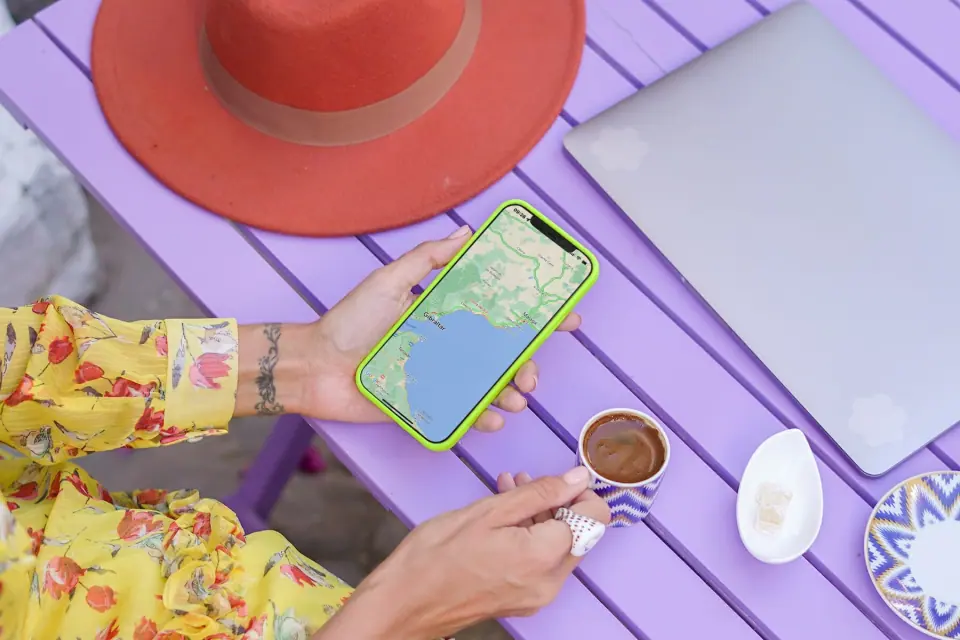
Google Maps (iOS – Android) finds almost everything you need while traveling. Search for restaurants, hotels and attractions near your current location, then get directions to the one you pick.
It earns its place from the moment you land in a city you don’t know. Open the app and within seconds you have a list of places to eat, sleep and visit nearby, with a route to the first one.
It is just as useful later in the day, when you need to find your way back to your hotel.
The next morning, use it to find a nearby café for breakfast and then the route to the nearest museum.
Maps.me for Offline Maps
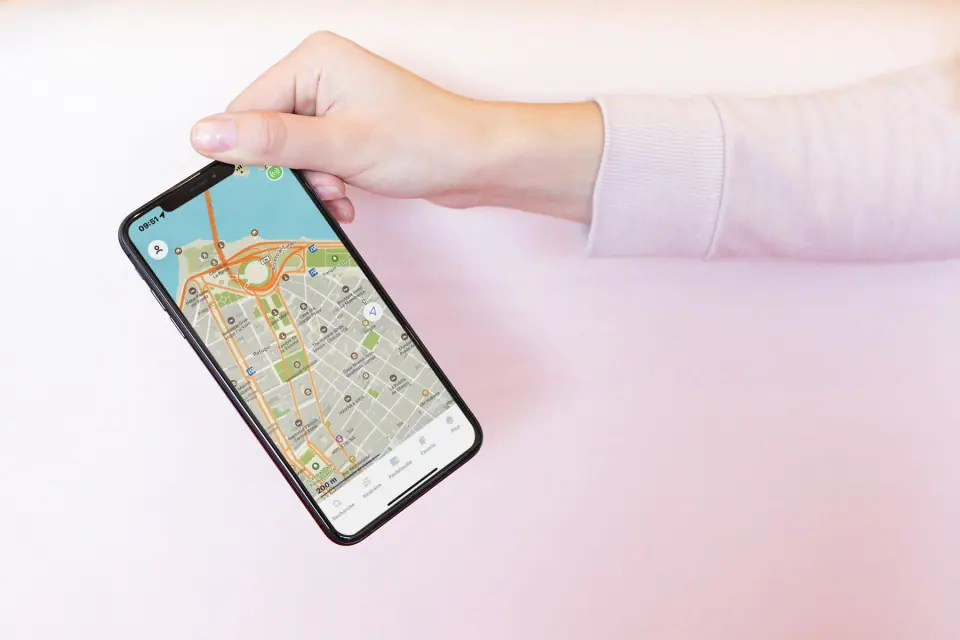
Maps.me is an offline map and navigation app, and that is the reason to install it. Because the maps work without a connection, you can use it anywhere without worrying about mobile data or internet speeds.
You download the map of a region before you leave, then choose your route once you are there. It is available for iPhone, iPad and Android.
Google Maps also lets you save areas for offline use, so compare the two before a trip abroad.
Google Translate for Language Barriers
Google Translate (iOS – Android) translates text from one language to another and works without an internet connection, as long as you download the language you need before you leave. Open the app, select a language and start typing. You can then show your screen to someone to ask where a place is or explain what you want.
The app also translates text through your phone’s camera. If you can’t read a sign or a menu, open the app, tap Camera and point it at the text. According to Google, camera translation works offline too for the languages you have downloaded, although not every language supports it, and small or stylized text may not translate accurately.
It shows you how to say things phonetically too, which helps when you want to speak a phrase out loud. In Japan, for example, you would download the Japanese language pack at home and have it ready for the moments when nobody around you speaks English.
Use the time before your trip to practice a few phrases with it.
Start with “hello” and “thank you,” the two you will need as soon as you walk into a shop.
TripAdvisor for Reviews
TripAdvisor lets you find hotels, hostels, attractions and more, and read what other travelers thought of them. It is a good way to find the best museums and attractions near your location.
Its main use is choosing between options. Search for hotels in the area and you will quickly have a few that look promising.
Then read the reviews from other travelers to see which one fits your needs before you book.
Airbnb for Short-Term Stays

Airbnb finds accommodation for short-term stays, such as a whole vacation home or a private room in someone’s home. Use it to find places to stay close to your destination.
The type of place you book shapes the trip. A whole home gives you privacy.
A room in a shared property usually comes with a common area, where you are likely to meet other guests.
That can be a plus if you are in town alone and would like company for exploring, eating out or visiting a museum.
Culture Trip for Local Advice
Culture Trip publishes destination guides and ideas for things to do. Treat it as a source of inspiration and confirm practical details, such as opening times and prices, with the venue itself.
Kayak for Comparing Flights

Kayak compares flight prices across multiple carriers and dates. You can filter the results by price, distance and availability. Look at the fare details for each result to see what baggage is included before you compare prices.
Check it before you buy any flight. The range of carriers and dates is wide, and the filters make it quick to see the best deal.
The baggage details are the part to read closely, because they affect the real cost of a ticket.
With that information you know what to expect before you board.
Booking.com for Hotels on a Budget
The Booking.com hotel finder helps you find hotels that fit your budget and location. You can filter the search to show only pet-friendly hotels, highly rated hotels or those with other features you want.
HotelTonight for Last-Minute Rooms
HotelTonight is the backup plan for nights when you have nowhere booked. Tell the app where you would like to stay and it shows you the best prices. Tap a hotel to see more information, including photos and reviews. You can add a property to your Favorites to find it again later. If you change your mind, cancel before paying and you won’t lose any money.
It is most useful when you have to be in an unfamiliar city the next day and the hotels you tried are full, and you don’t want to overpay for a late booking.
Enter the location, look through the available properties and check the reviews before you commit.
Hotels.com for a Quick Hotel Search
Hotels.com lets you find hotels anywhere, quickly. You can filter by price range or by location, and the app can also show pet-friendly hotels and hotels near attractions.
Rome2Rio for Getting From A to B
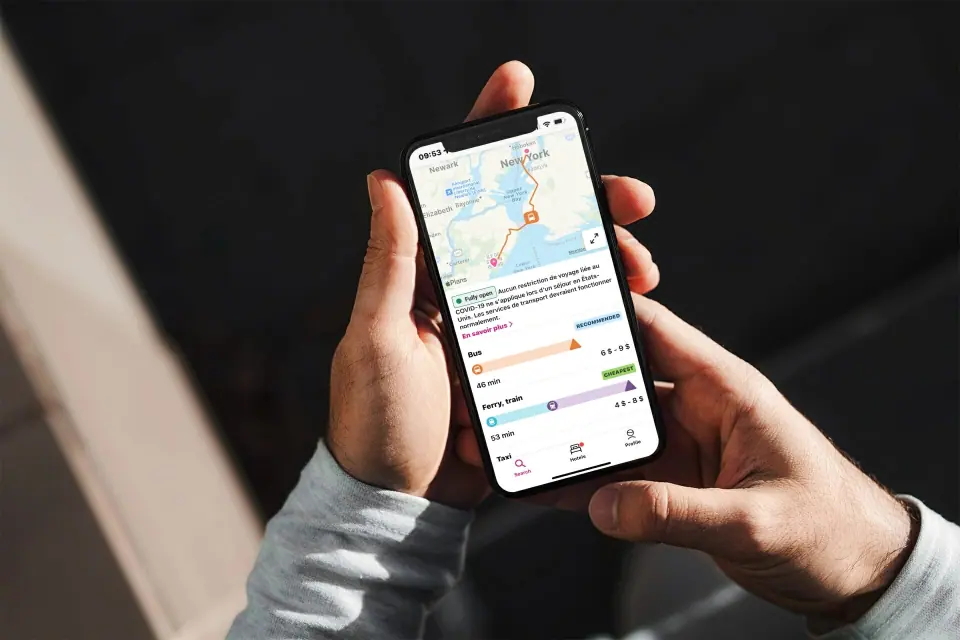
Rome2Rio shows you how to get from A to B anywhere in the world. Enter your front door, hotel or hostel and your destination, and it lists the options by plane, train, bus, ferry and car.
Use it when you know where you want to go but not how to get there. It does the job of a local guide or a travel agent, and it may turn up cheaper routes than the usual suggestions. It runs on your smartphone, so you can check a route from anywhere.
Flush Toilet Finder
Flush Toilet Finder locates the nearest public toilet from a database of more than 200,000 around the world. It tells you which ones have disabled access and which charge a fee or need a key. It saves you from cutting short a museum visit or a tour to go looking for a bathroom.
Which Travel Apps to Download
Between them, these apps handle the three things travelers use a phone for most: booking accommodation, planning an itinerary and finding the way around an unfamiliar city.
They also help with public transportation and with finding a place to stay that fits your budget. If you are traveling alone, a private room booked through Airbnb is one way to find somewhere to stay.
Download the ones you need before your next trip and set them up while you still have a good connection.